PART SIXTY FOUR

We shot the music video using two different cameras, the Canon 5d (mostly for the handheld shots in the woods) and the Sony Effect 100 (which we used in the studio and for the nighttime in the woods when filming the tent projections).


Digital editing is part of the creative process of digital filmmaking. The term editing is derived from the traditional process of working with film, but now it increasingly involves the use of digital technology. The digital video editor works with raw footage, selecting shots and combining them into sequences to create a finished music video promo.


The intended outcome of the process was to create a music video which made sense, making the meaning or intention of it apparent to the viewer. We also wanted to keep the indie-rock genre a main theme of the band in order to fit the style of the song. Having three different elements, the performance in the studio with projections, the band in the woods and the fairy girl, we needed to make sure that each element fitted in with one another.

Once the footage had been transferred from the digital camera, we considered the reviewing and selecting of shots. We decided to watch all the shots through because we had not seen how the shots in the woods had turned out as, when we were filming, it began to get darker so we needed to be sure that we could still use these shots from the woods.

After reviewing shots, we labeled them with different names, for example, the type of shot and the person/object that was being filmed, e.g. 'Singer Mid - Studio'. This helped us to select shots to put in the cut more quickly because we did not have to double click on the shot to review it and see what it was, we just had to look at the shot name and knew immediately whether of not we would use it.
We decided, using the method of labelling, to group the shots of each band member in twos or threes, for example, if we used a close up shot of the bassist - Charlie's right hand playing, we would follow it using a shot of his left hand plucking the bass then a long/mid shot of him playing to make it clear to the audience that he is playing that specific instrument. This structure of grouping in threes makes it quicker and more efficient to edit.
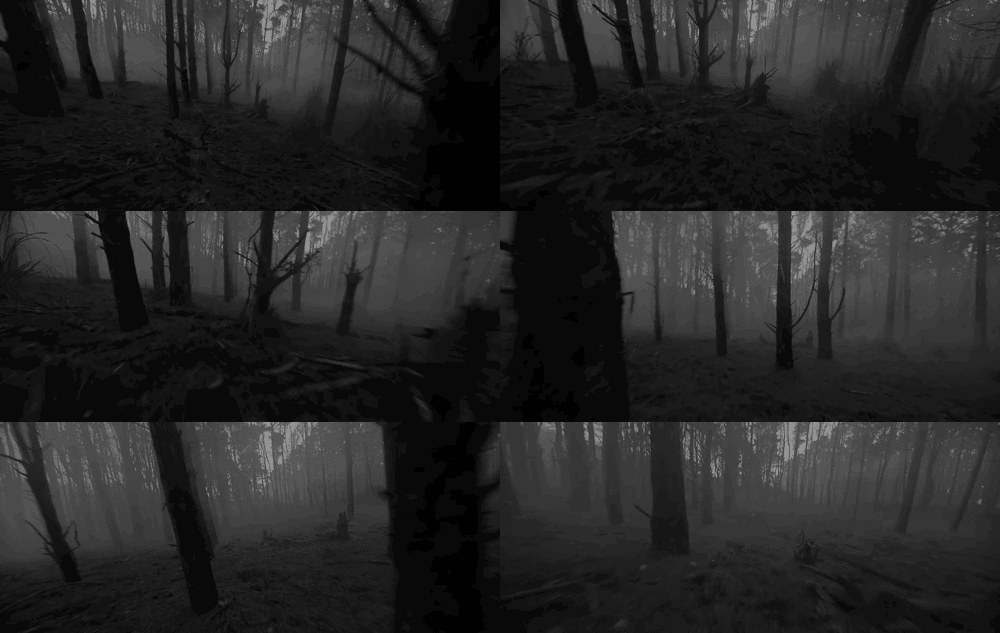
We immediately rejected a group of shots in the woods which we filmed when the light was fading at about 4:00pm and the visibility was low so, even with post-production editing, the shots were too dark and out of focus to fix.
 We used a timeline to keep track of the where we were in the song. It also enabled us to sync the shots to the song by matching up the timing on the clapper board with the seconds on the timeline. It was easier to order the shots.

We placed the music track onto the timeline first so that we could fit the shots in to match the beat of the music. Also we needed to sync the shots with the track before we started to edit.
 First, because it was our main element, we synced the studio projections to the track so that we had our main element down. Once we had done that, we selected elements from the woods, our second element, and began to rename the shots. We re-named all of the clips so we did not have to preview the clip to see what it was but we could just look at the name and know straight away. This sped up the process of editing greatly.
We would usually group the shots in twos or threes so that if we had a shot of the guitarist's fingers, we could then cut to his face, showing who was playing. We found that the video flowed better if we used three similar shots one after another, eg. a close-up, mid-shot and long-shot of the same person/object.
The framing and shot composition definitely influenced whether the shot was used or not because we could compare the variety of similar shots we had taken to decide which one looked the best.
 We used typical indie-rock conventions we used in our music video editing to stick with the genre of the song. This included close-ups of the boy's outfits, the use of extreme close-ups on their facial expressions and the shot composition in which we included shots of each individual band member the same amount of times. This showed that all of our band members were as important as each other, reflecting back to the indie-rock genre where it is about the music the band have created together, rather than the lead-singer's star image.

On personal lyrics of the song like 'my mind', we tended to use close up shots of the lead singer, Ashen, in order to show that it's his point of view and that the words mean a lot to him. Reinforcing the indie-rock theme of the meaning behind the music and lyrics being more important than the star image.
We cropped a shot of the drummer to focus on his drum sticks. This was needed because, for all the other band members, we had at least three shots, a close-up of the instrument they played, a shot of their face, and a long/mid-shot of them as a whole. Unfortunately, we ran short on time and only managed to get two mid-shots of the drummer. For places where the drums were key, we cropped the shot to his drum kit and sticks, showing what he was playing. Although being slightly less focused due to being cropped, with the projections over the top, the cropped shot managed to turn out fine. We only used it for a split second so hopefully the shot won't be noticed or scrutinised too much.

We used markers throughout the song to mark the beat and then we dragged the different shots to start where the beat started so that the cutting was fluent and on time.


This screenshot above from my group's blog explains Abobe Premier Pro software and how it works.
Below is a screenshot of how the software looks:

Digital editing is part of the creative process of digital filmmaking. The term editing is derived from the traditional process of working with film, but now it increasingly involves the use of digital technology. The digital video editor works with raw footage, selecting shots and combining them into sequences to create a finished music video promo.


The intended outcome of the process was to create a music video which made sense, making the meaning or intention of it apparent to the viewer. We also wanted to keep the indie-rock genre a main theme of the band in order to fit the style of the song. Having three different elements, the performance in the studio with projections, the band in the woods and the fairy girl, we needed to make sure that each element fitted in with one another.

Once the footage had been transferred from the digital camera, we considered the reviewing and selecting of shots. We decided to watch all the shots through because we had not seen how the shots in the woods had turned out as, when we were filming, it began to get darker so we needed to be sure that we could still use these shots from the woods.

After reviewing shots, we labeled them with different names, for example, the type of shot and the person/object that was being filmed, e.g. 'Singer Mid - Studio'. This helped us to select shots to put in the cut more quickly because we did not have to double click on the shot to review it and see what it was, we just had to look at the shot name and knew immediately whether of not we would use it.
We decided, using the method of labelling, to group the shots of each band member in twos or threes, for example, if we used a close up shot of the bassist - Charlie's right hand playing, we would follow it using a shot of his left hand plucking the bass then a long/mid shot of him playing to make it clear to the audience that he is playing that specific instrument. This structure of grouping in threes makes it quicker and more efficient to edit.
We immediately rejected a group of shots in the woods which we filmed when the light was fading at about 4:00pm and the visibility was low so, even with post-production editing, the shots were too dark and out of focus to fix.
We placed the music track onto the timeline first so that we could fit the shots in to match the beat of the music. Also we needed to sync the shots with the track before we started to edit.
First, because it was our main element, we synced the studio projections to the track so that we had our main element down. Once we had done that, we selected elements from the woods, our second element, and began to rename the shots. We re-named all of the clips so we did not have to preview the clip to see what it was but we could just look at the name and know straight away. This sped up the process of editing greatly. We would usually group the shots in twos or threes so that if we had a shot of the guitarist's fingers, we could then cut to his face, showing who was playing. We found that the video flowed better if we used three similar shots one after another, eg. a close-up, mid-shot and long-shot of the same person/object.
The framing and shot composition definitely influenced whether the shot was used or not because we could compare the variety of similar shots we had taken to decide which one looked the best.
 We used typical indie-rock conventions we used in our music video editing to stick with the genre of the song. This included close-ups of the boy's outfits, the use of extreme close-ups on their facial expressions and the shot composition in which we included shots of each individual band member the same amount of times. This showed that all of our band members were as important as each other, reflecting back to the indie-rock genre where it is about the music the band have created together, rather than the lead-singer's star image.
We cropped a shot of the drummer to focus on his drum sticks. This was needed because, for all the other band members, we had at least three shots, a close-up of the instrument they played, a shot of their face, and a long/mid-shot of them as a whole. Unfortunately, we ran short on time and only managed to get two mid-shots of the drummer. For places where the drums were key, we cropped the shot to his drum kit and sticks, showing what he was playing. Although being slightly less focused due to being cropped, with the projections over the top, the cropped shot managed to turn out fine. We only used it for a split second so hopefully the shot won't be noticed or scrutinised too much.

We used markers throughout the song to mark the beat and then we dragged the different shots to start where the beat started so that the cutting was fluent and on time.

While editing, we could review the footage on the top left hand side of the screen so we could find similar shots of what we were looking for more easily.
As the song progressed, we cut between shots quicker, decreasing the shot duration. We preferred this style of the decreasing shot duration mirroring the quickening pace of the song.
As the song progressed, we cut between shots quicker, decreasing the shot duration. We preferred this style of the decreasing shot duration mirroring the quickening pace of the song.

Well done for making this a visual post. Good use of screen shots to develop upon your points. Your post could develop upon your reflection however. While your post is a detailed step by step process you went through, you have not reflected throughout your edit, why did you create three different edits, did your concept change? Consider adding a reflective element to make this an excellent post.
ReplyDelete